










Posts tagged Amazon Kindle
The Kindle Paperwhite is getting around!
February 8, 2013 | 1:30 pm
Amazon's Kindle Paperwhite is definitely going global:
A few weeks ago, it was Canada, where the Paperwhite could be found in the Amazon Canada Kindle Store. Now it's (finally) not only shipping to Australia, where it's been eagerly awaited—it's also available (in both the Wi-Fi-only model and the 3G/Wi-Fi model) for shipping to countries including Madagascar, Poland, Sri Lanka, Trinidad and Tobago, Thailand, and to most developed areas of the world not in (cold or hot) war zones, and which don't already have their own Kindle Stores.
Continue reading on Andrys Basten's A Kindle World blog......
Review: The Twelve by Justin Cronin
February 3, 2013 | 9:00 am
I recently reviewed The Passage by Justin Cronin, the first book in his Passage series. As I said in my previous review, I had enjoyed the first book and was eagerly awaiting the sequel, The Twelve. I'm happy to report that the second book is every bit as good as the first.
The e-book version is well done; formatting is good. I saw a few typos, but not enough to detract from my enjoyment. Each major chapter heading had a picture and quote. The image displayed well on both my Nexus 7 and Kindle Touch. The quotes in the image were...
Finding the Perfect E-Reader Prop
January 29, 2013 | 2:32 pm
Do you like to read while you eat? I know people say you shouldn't multitask while eating, but reading during breakfast and lunch is one of my favorite ways to treat myself.
Finding a good way to prop up my e-reader has always been a challenge. The MoKo case for my Nexus 7 works well in landscape mode, but my Kindle Touch case doesn't have any way to position it. If you've been searching as well, I've found two solutions you might want to consider.
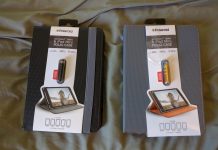
The first is the AmazonBasics Mini Travel Stand (top photo). It's only $6.20 on Amazon, and it's deceptively...
Why the Google Nexus 7 is my new favorite e-reader
January 26, 2013 | 9:30 am
No, this doesn't mean I've given up on my Kindle Touch. It still has its uses, but I am really liking the Google Nexus 7 as a e-reader.
For all my complaints in my earlier post about the Kindle app for Android, reading on it is a beautiful thing. The screen is gorgeous, and the text is clear and sharp. I've almost completely stopped reading on my iPad because the screen resolution is so much better on the Nexus 7. As soon as Instapaper is updated to add page flipping in the Android version, the only reading I'll be doing on...
Book Review: The Passage by Justin Cronin
January 25, 2013 | 10:33 am
I read this one back in 2010, when it was first published, and I enjoyed it then. The sequel recently became available from my library in e-book format, and I decided to re-read the first one while I waited through the hold period for the second one.
I read Justin Cronin's The Passage as an e-book, and I'm happy to report that the Kindle version is just about perfect. I saw few typos and no formatting errors. The table of contents worked as expected, even with all the sub-chapters. It contains real page numbers, and is a long one, at more than...
Kindle 4 update 4.1.1 available
January 25, 2013 | 9:31 am
If you have a Kindle 4 (that's the one with the hardware controller and no keyboard), Amazon just released an software update.
I don't have a Kindle 4, so I haven't been able to test it out. There are no release notes, and the folks on Kindleboards are saying it downloads very quickly, leading them to believe that it's just a patch.
Have any of you downloaded and tried it out? Notice anything different?
* * *
I just tried the update myself, and didn't run into any trouble. Couple of things I should probably point out, though, especially for anyone who's not really...
HELP! My E-Reader Keeps Freezing! (How to reset your Kindle, Nook or Kobo)
January 20, 2013 | 3:20 pm
Always remember that e-readers are like small computers. Sometimes they just hiccup and stop working correctly. Freezing, acting sluggish or pages turning slower than normal are common complaints.
Relax. It's perfectly normal and nothing to worry about. No need to call customer service just yet; a quick reset will fix most problems.
Here's instructions on how to reset the three most popular e-reading devices.
1. Kindle (E Ink)
The easiest way to reset a Kindle is to press or slide (depending on your model) the power switch, and to hold it in the 'off' position for 20 seconds. Your Kindle will restart itself, and most...
SkyMall E-Reading Gadgets
January 20, 2013 | 11:19 am
So I was sitting on the worst part of the plane flight, right after they told me to shut off all electronic devices. Being a good traveler, I stowed my Kindle and looked around for something to do. Ah! SkyMall magazine. Always a good way to waste a few minutes.
In and around the usual silliness, I found a couple of items that would actually be useful to an e-book reader. What do you think of these?
1. iPad Power Case ($129.95)
iPad batteries are good, but they can't stand up to marathon reading sessions. This one sports a 9000mAh battery, which should give...
Review: How to Format your eBook for Kindle, NOOK, Smashwords, and Everything Else – UPDATED
January 19, 2013 | 10:00 am
If you're a do-it-yourself kind of author, you've probably encountered the "fun" of formatting your book for the various sites.
I had no problems uploading my fiction book to Amazon and Barnes & Noble. I created a clean HTML file and followed all the prompts. Presto! Published. My non-fiction book was similarly easy to upload to Amazon. But Barnes & Noble stopped me. No matter what I did, I couldn't make the bulleted lists display properly.
Being stubborn, I refused to pay someone else to do it for me, so I went in search of a good e-book formatting guide. After reading...
Kindle Quick Tips: How to Organize Your Free E-Books
January 18, 2013 | 3:23 pm
Do you like to "buy" lots of free books, but you don't want them all downloaded to your Kindle? Not a problem. Try this.
1. Install Kindle for PC (or Mac) on your computer.
2. When you "buy" a free book, have it sent to your Kindle desktop app instead of your Kindle
3. Select a Collection category for your new book
You can import all your collections from your Kindle, just like in the screenshot below, so you won't lose any of your organization.
When you're ready for a new book, browse your collections on your computer, select a new book and go to...
Review: Amazon Lighted Kindle Cover
January 17, 2013 | 12:30 pm
Are you envying the light on the Kindle Paperwhite, but you're not quite ready to give up your Kindle Touch or basic Kindle? Consider the Amazon Lighted Kindle Cover. I have one for my Kindle Touch, and it's an excellent case. [easyazon-image align="right" asin="B004SD2562" locale="us" height="500" src="http://ecx.images-amazon.com/images/I/412YpcdDDgL.jpg" width="297"] At a $59.99, it's expensive, but it's worth it. Mine is black, and I think it makes my Kindle look better. I've never been a fan of how the Kindle Touch looked. The gray color doesn't appeal. In the case, however, it looks good. Appearance aside, it's good for other reasons. The Kindle is completely...
Kindle for Android vs. Kindle for iOS
January 14, 2013 | 11:00 am
A common complaint about Android apps in comparison to iOS apps is that Android apps are often missing features or seem “unfinished” and not as polished. While I’ve found that to be true in some cases, the Kindle app is a particularly grievous example.
While books in the Android version are easy to read, sync with the Cloud and are very pretty on my Nexus 7 screen, some basic features in the iPad app are mysteriously missing. Here are my biggest gripes:
1. You can’t open a book from an email or from Dropbox
With “Send to Kindle,” this isn’t as big a...


PREVIOUS

SUBSCRIBE TO RSS